Application for Renewal of Full Driving Licence Online Tutorial
Enquire Application Status or Resubmit Required Documents
Step 1 - Authenticate
Step 1 - Authenticate
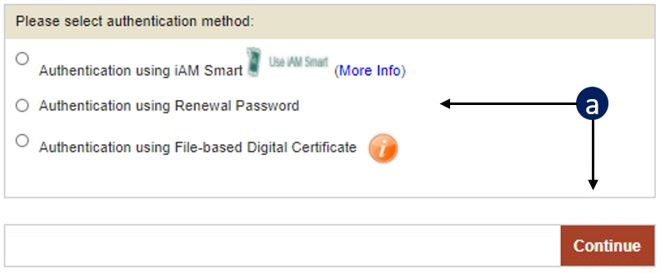
a
Select the Authentication Method and then click "Continue".
(See b to g if you choose iAM Smart. See h to j if you select the Renewal Password. See k to n if you select the File-based Digital Certificate.)
(See b to g if you choose iAM Smart. See h to j if you select the Renewal Password. See k to n if you select the File-based Digital Certificate.)
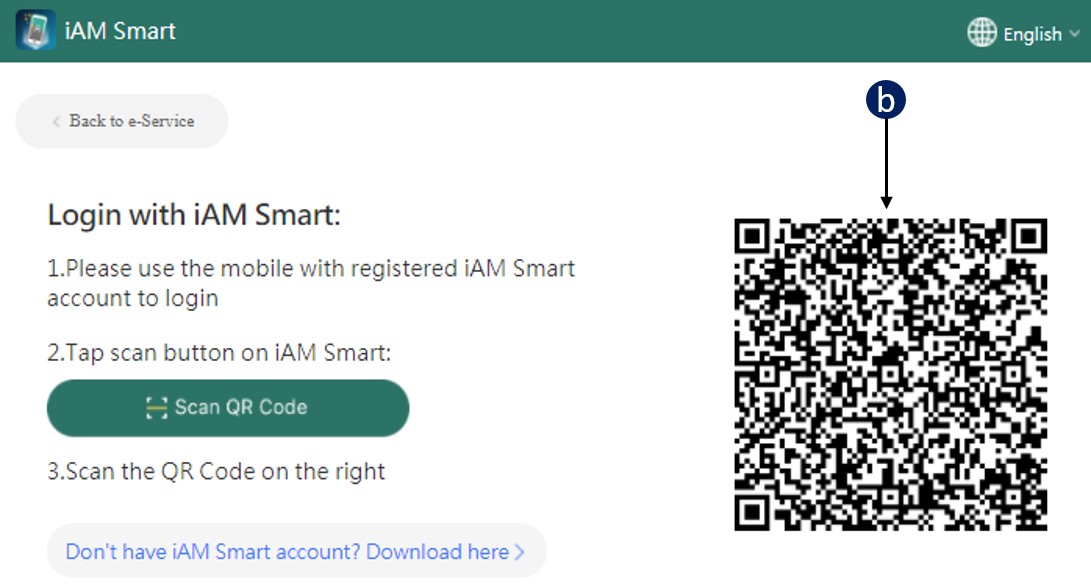
b
Scan the QR code on iAM Smart with your mobile device and click “Continue” on iAM Smart Application in your mobile device.
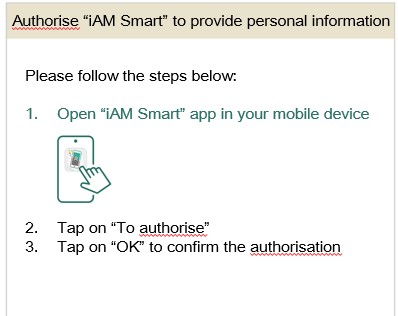
c
Follow the instructions to authorize “iAM Smart” to provide personal information.
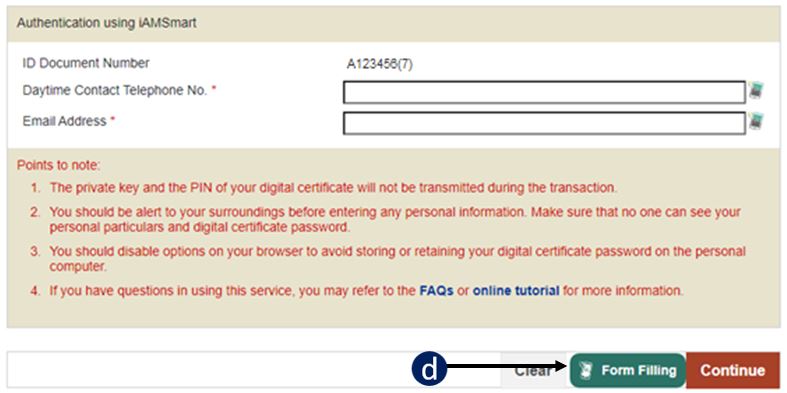
d
Click “Form Filling with iAM Smart e-ME”.
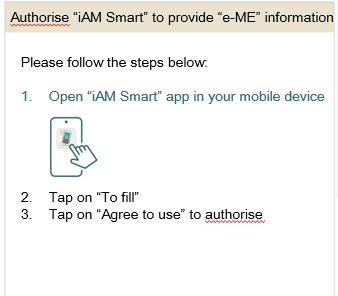
e
Follow the instructions to authorize “iAM Smart” to provide “e-ME” information.
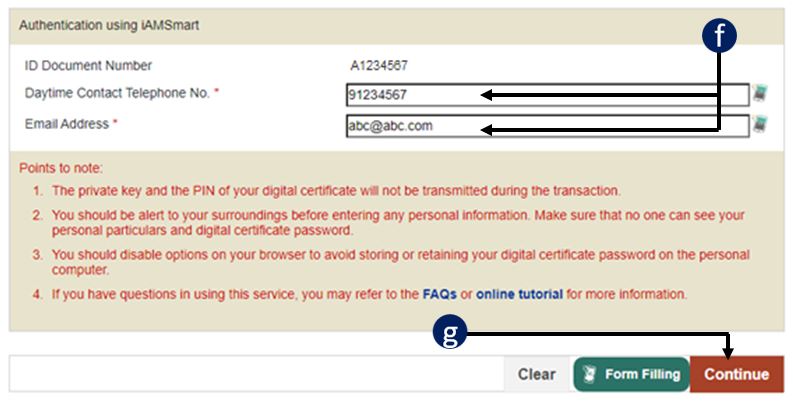
f
Check whether your personal particulars are correct. You may edit the information in the field when necessary.
g
Click "Continue" to go to Step 2.
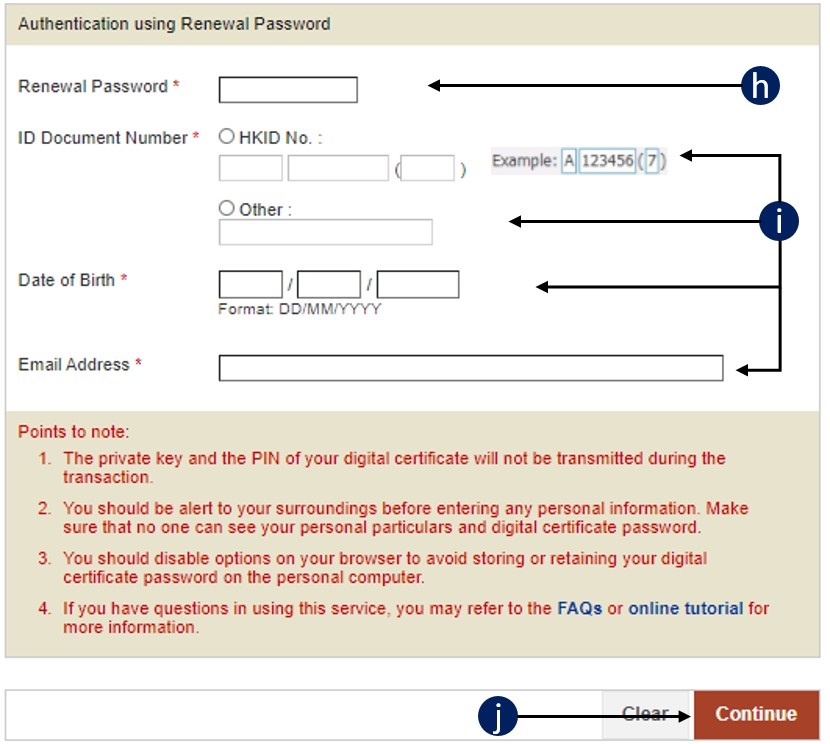
h
Enter your Renewal Password.
i
Enter the number of your identity document, date of birth and email address.
j
Click "Continue" to go to Step 2.
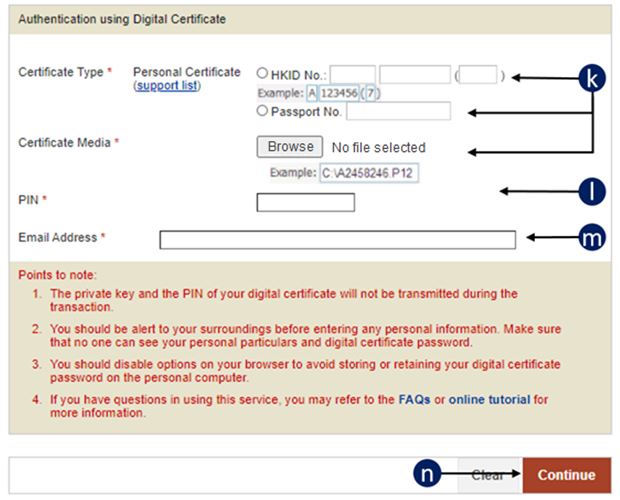
k
Enter your HKID Number or Passport Number and select Certificate Media.
l
Enter the PIN of your digital certificate.
m
Enter your email address.
n
Click "Continue" to go to Step 2.