Application for Renewal of Full Driving Licence Online Tutorial
Apply for Renewal of Full Driving Licence
Step 2 - Fill in Application
Step 2 - Fill in Application
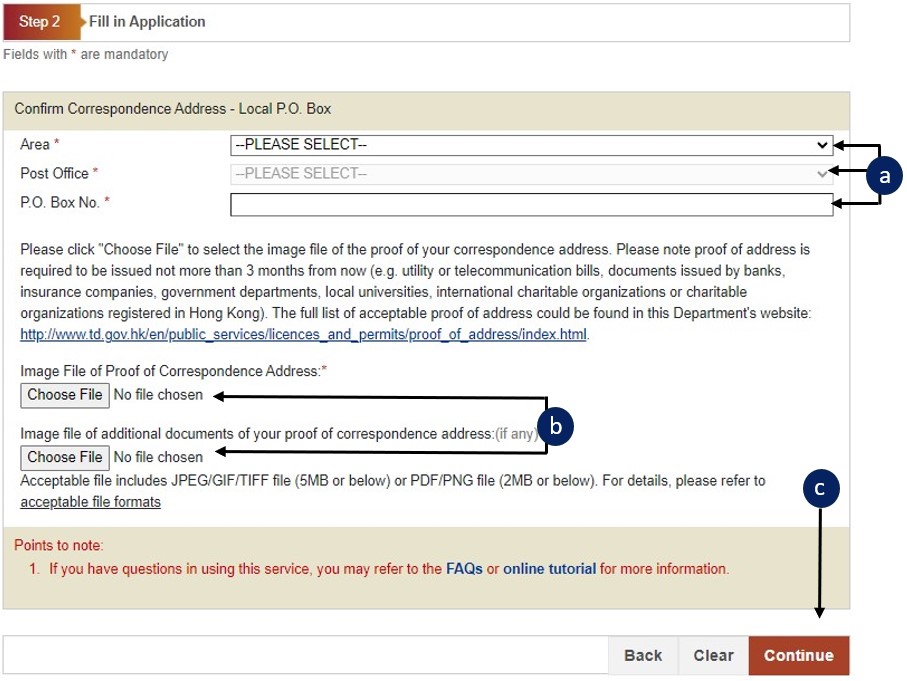
a
Select "Yes" or "No" to each question.
b
Click "Continue" to confirm and/or update your address.
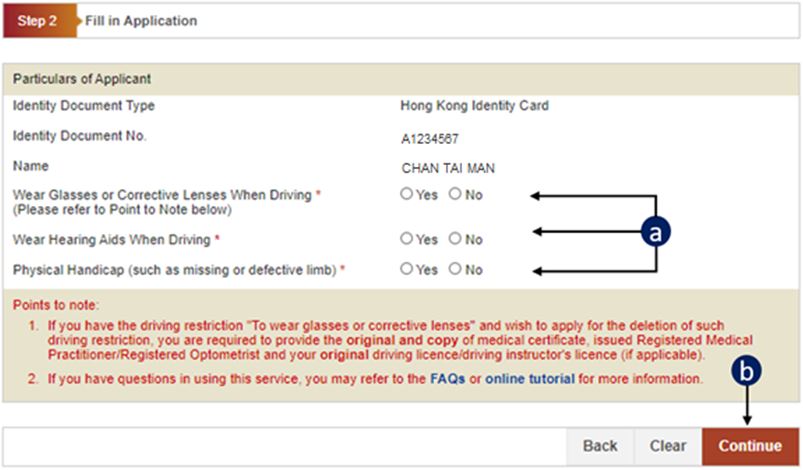
c
Read every paragraph of the Attention carefully.
d
Confirm or update your residential address.
e
Confirm or update your correspondence address.
If you need to update your address, please go to Step 2(1) (Confirm Address).
If you do not need to update your address, please go to Step 3 (Submit Application).
f
Click "Continue".
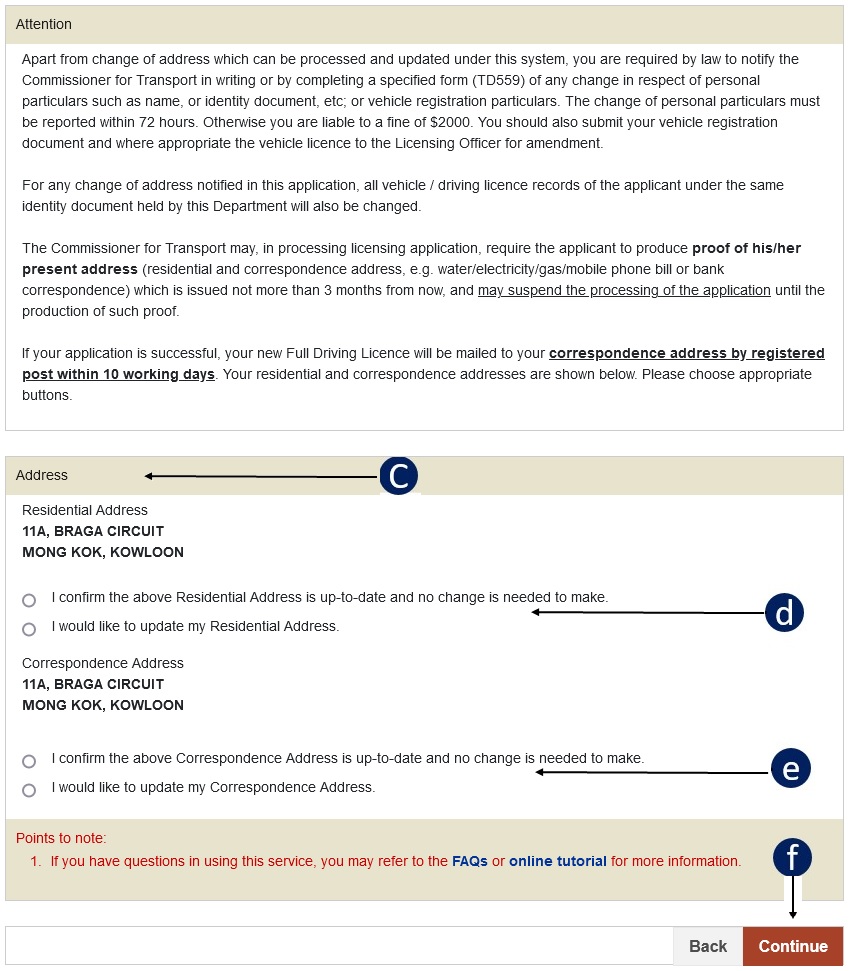
g
Check whether your correspondence address is correct.
h
Click the "Choose File" button to locate the address proof image file.
i
Click "Continue" to go to Step 2.
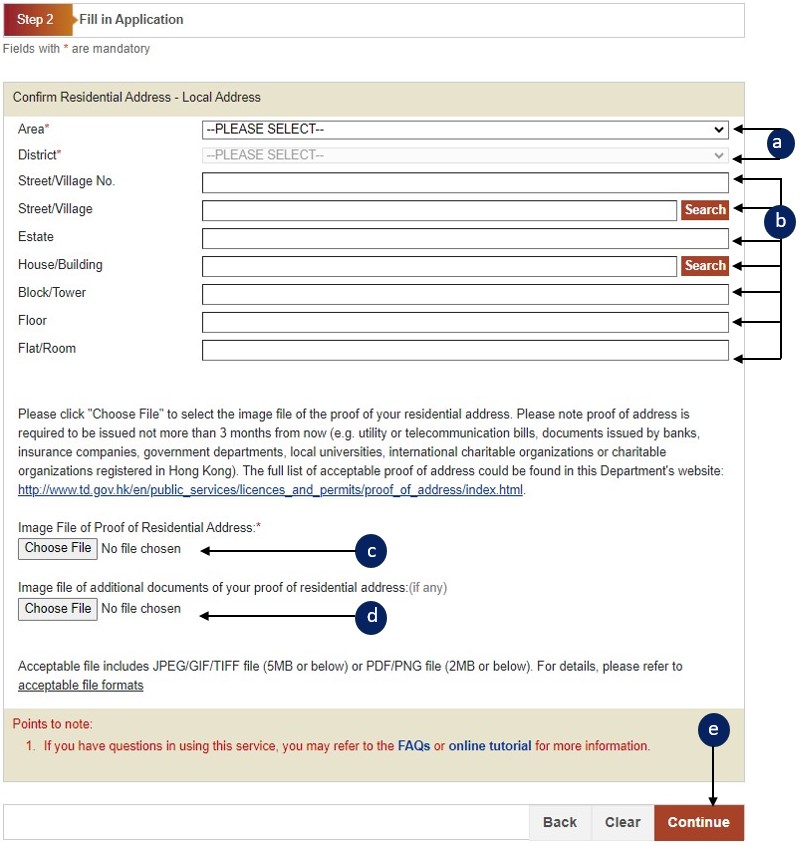
Confirm Residential Address - Local Address:
a
Select Area and District.
b
Enter address details (please enter one of Street/Village, Estate or House/Building; enter Street/Village if you have entered the Street/Village No.)
c
Click the "Choose File" button to locate the address proof image file.
d
Press "Continue" button to go to next screen.
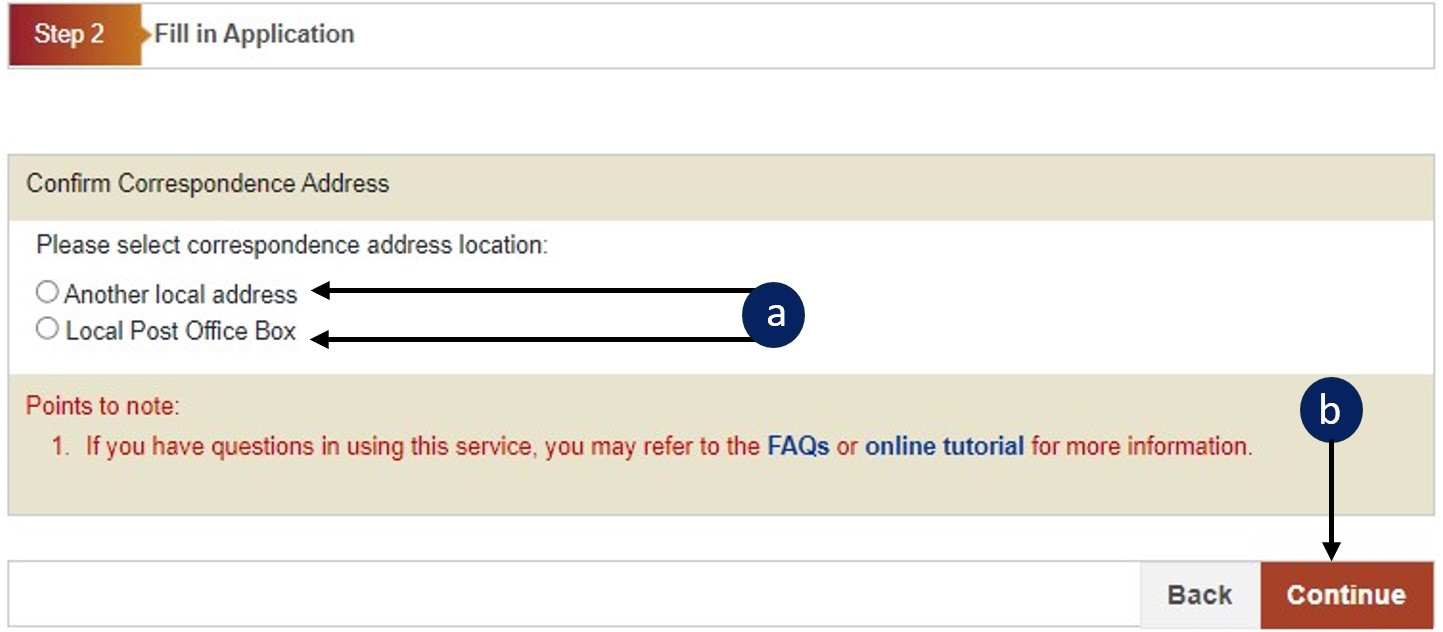
Confirm Correspondence Address:
a
Select the correspondence address location.
b
Press "Continue" button to go to next screen.
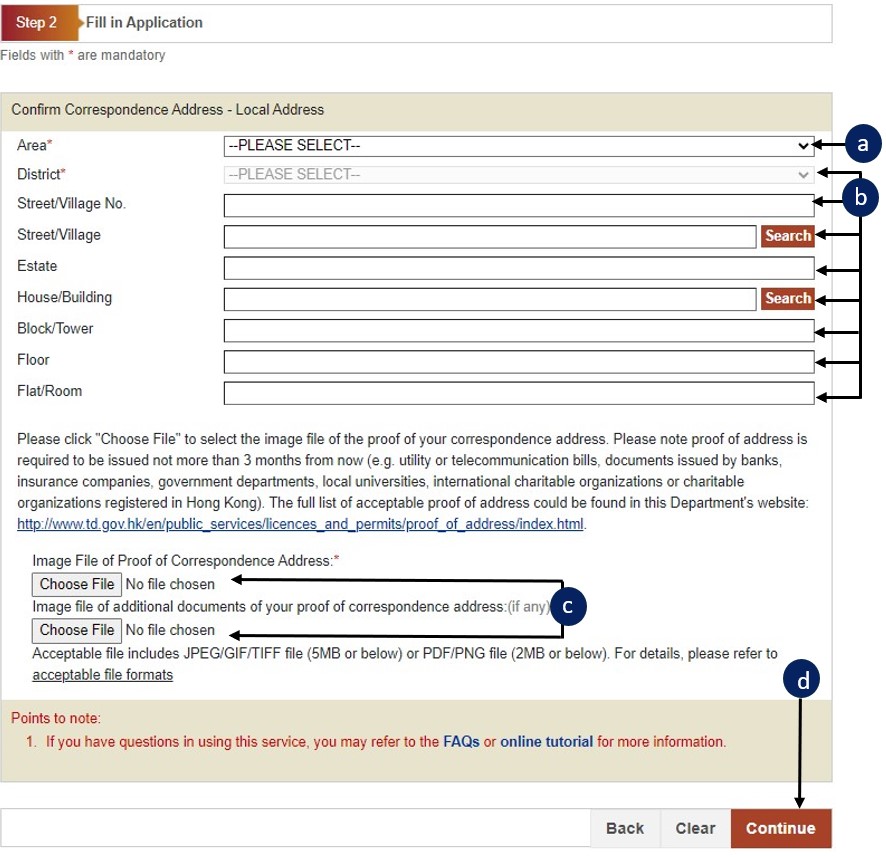
Confirm Correspondence Address - Local Address:
a
Select Area and District.
b
Enter correspondence address details (please enter one of Street/Village, Estate or House/Building; enter Street/Village if you have entered the Street/Village No.)
c
Click the "Choose File" button to locate the address proof image file and any additional document files.
d
Press "Continue" button to go to next screen.
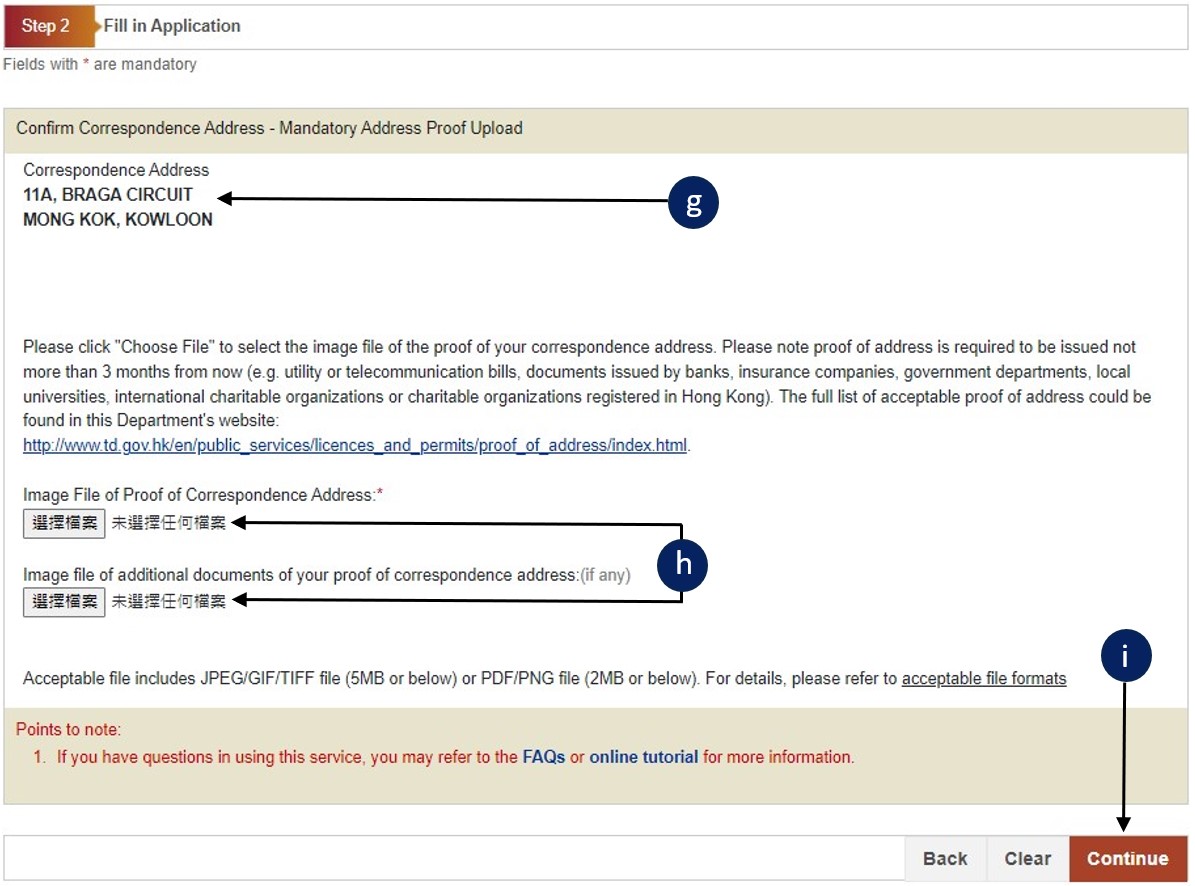
Confirm Correspondence Address - Local P.O. Box:
a
Select District, Post Office and enter P.O. Box No.
b
Click the "Choose File" button to locate the address proof image file.
c
Press "Continue" button to go to next screen.