Step 1 - Authenticate by iAM Smart
Use Form-Filling with iAM Smart:
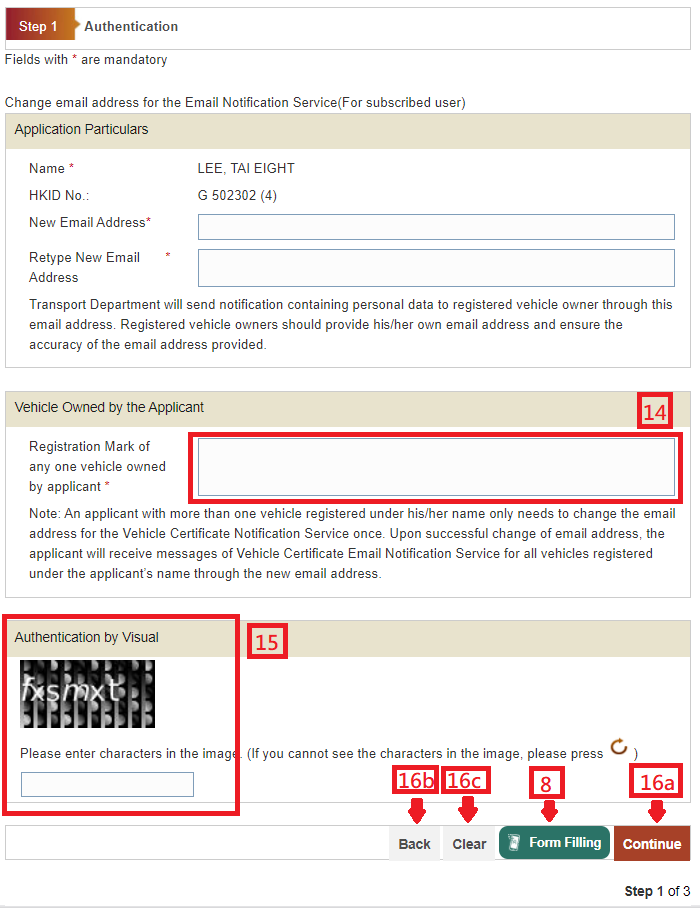
8. Select “Form-Filling”
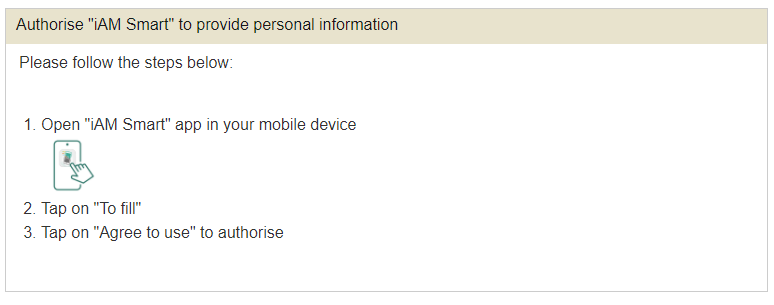
11. Tap on “To fill”.
12. Select “Agree to use” to authorise.
13. The e-ME profile was filled.
Please provide the Vehicle Owned by the Applicant:
14. Enter Registration Mark of any one vehicle owned by applicant
Please provide the Authentication by Visual:
15. Enter characters in the image for Authentication by Visual. If you cannot read the characters, please press
 and re-enter the required data.
16. On completion:
-
Press "Continue" button to go to next screen. or
Press "Back" to go back to previous screen. or
Press "Clear" button to clear and re-enter the data.