Step 1 - Authenticate by iAM Smart
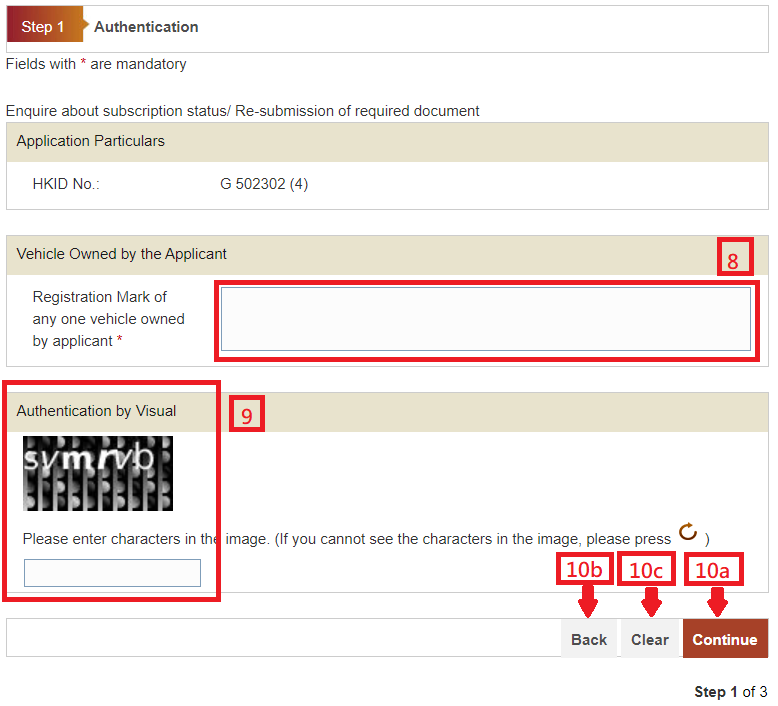
8. Enter Registration Mark of any one vehicle owned by applicant.
Please provide the Authentication by Visual:
9. Enter characters in the image for Authentication by Visual. If you cannot read the characters, please press
 and re-enter the required data.
10. On completion:
-
Press "Continue" button to go to next screen. or
Press "Back" to go back to previous screen. or
Press "Clear" button to clear and re-enter the data.