If you would like to authenticate by identity document, please proceed as steps in pages 1-2.
If you would like to authenticate by File-based Digital Certificate, please proceed as steps in pages 1-3.
Step 1 - Authenticate by identity document
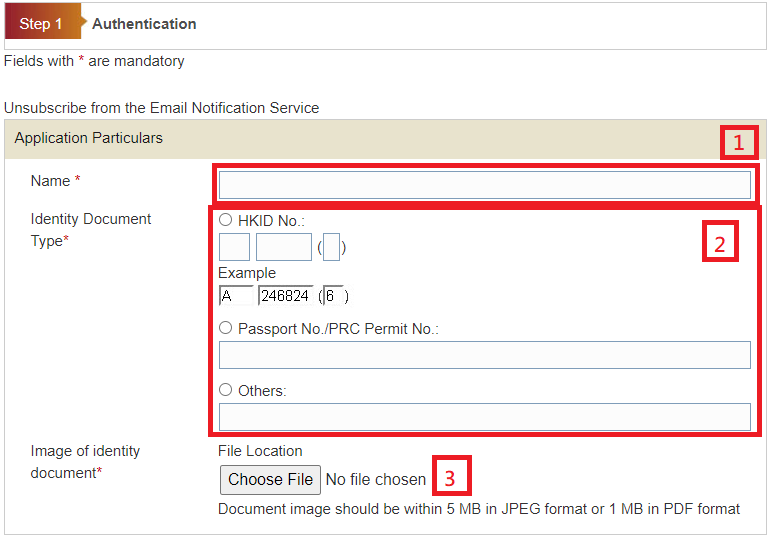
Please provide the Application Particulars
1. Enter Name
2. Choose the type of identity document and enter the identity document number
3. Click the “Browse” button to locate the document image file from your device and upload the image of the identity document
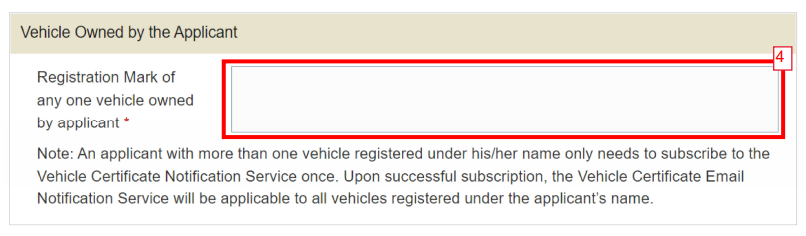
4. Enter Registration Mark of any one vehicle owned by applicant
5. Enter characters in the image for Authentication by Visual. If you cannot read the characters, please press
 and re-enter the required data.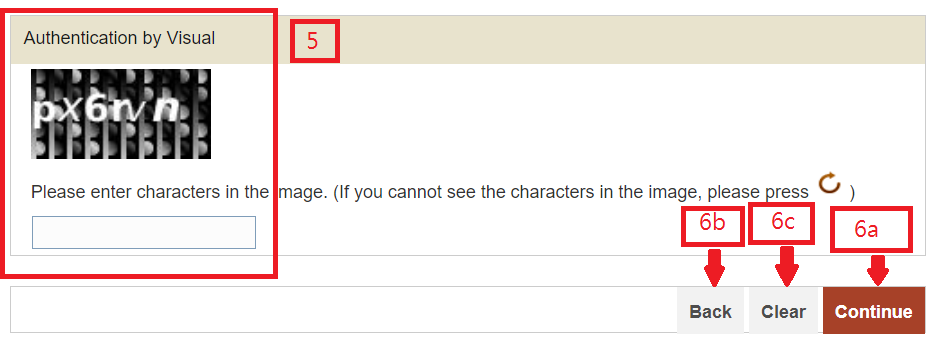
-
Press "Continue" button to go to next screen. or
Press "Back" to go back to previous screen. or
Press "Clear" button to clear and re-enter the data.