If you are using iAM Smart for authentication, please follow the following steps.
If you are using Personal Certificate for authentication, please skip to step 1-2.
Step 1-1: Authenticate by iAM Smart
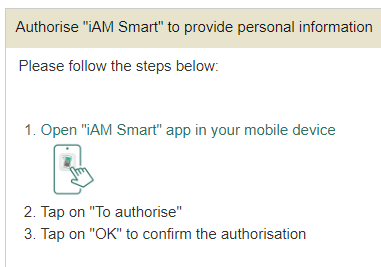
Login with iAM Smart:
- Web page shows the QR Code
- Open “iAM Smart” app in your mobile device.
- Tap “Scan QR Code” button on iAM Smart app to scan the QR Code.
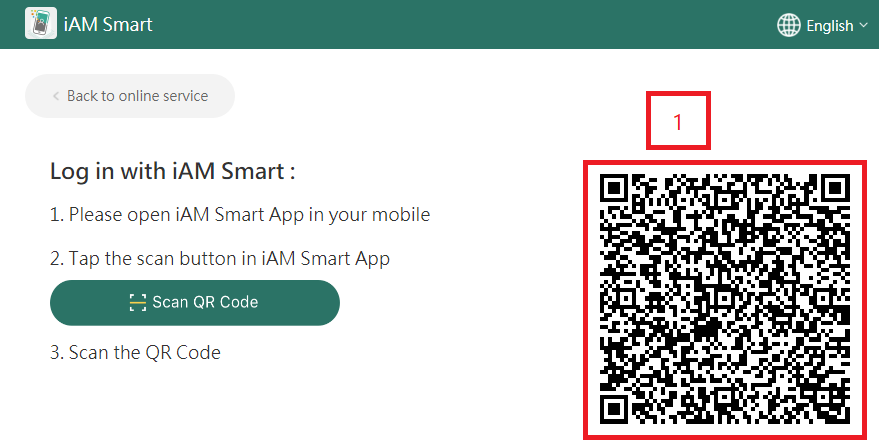
Authorise iAM Smart to provide personal information:
- Web page shows instruction to authorise "iAM Smart" to provide personal information.
- Open "iAM Smart" app in your mobile device.
- Tap on "To authorise".
- Tap on "OK" to confirm the authorisation.